Layer
Layer (aka overlay, blend, merge) merges two clips of possibly different sizes, but with the same color format.
For pixel-wise transparency information, the alpha channel of an RGBA overlay_clip is used as a mask.
Note that some modes can be similar to Overlay, but the two filters are still different.
Overlay accepts mask clip, Layer would use existing A plane.
Overlay "blend" is Layer "add", Overlay "add" is different.
Lighten and darken is a bit different in Overlay.
Layer has "placement" parameter for proper mask positioning over chroma.
Syntax and Parameters
Layer (clip base_clip, clip overlay_clip, [string "op", int "level", int "x",
       int "y", int "threshold", bool "use_chroma", float "opacity", string "placement"] )
- base_clip
the underlying clip which determines the size and all other video and audio properties of the result. YV411 is not supported.
- overlay_clip
the clip which is merged onto clip. If RGB32 or other alpha-aware color space, the alpha channel is used as a mask. Non-alpha plane YUV/planar RGB color spaces act as having a fully transparent alpha channel. Color format must match base_clip.
Note: if destination is YUVA or planar RGBA, the overlay clip must also be an alpha-aware type.
Alpha plane update behaviour (destination alpha after the operation):
For modes other than 'Add' or 'Subtract' all packed RGB formats (RGB24/32/48/64) are internally converted to planar before processing and post-converted back; the rules below apply to the planar representation.
Both clips alpha-aware (e.g. YUVA+YUVA, PlanarRGBA+PlanarRGBA, RGB32+RGB32): destination alpha is updated by every operation using the same formula applied to the colour channels. The overlay alpha serves as both the per-pixel blend weight and the target value for the alpha channel blend.
Only overlay has alpha (e.g. PlanarRGB base + PlanarRGBA overlay): overlay alpha is used as a per-pixel blend weight for the colour channels only; destination alpha is not written.
Only base has alpha, or neither has alpha: destination alpha is not written.
- op
the performed merge operation, which can be: "add", "subtract", "lighten", "darken", "fast", "mul", "mulovr"
Operation
Example
Description
add


 This is the default mode. Equivalent to
Overlay(mode="blend")overlay_clipwill be copied on top of the original, in proportion toopacityorleveland subject to the alpha channel.The difference betweenbase_clipandoverlay_clipis multiplied with alpha and added tobase_clip.- alpha=0d → onlybase_clipvisible- alpha=128d →base_clipandoverlay_clipequally blended- alpha=255d → onlyoverlay_clipvisibleFormula used :- usingopacityparameter- Alpha-aware:base = base + (overlay - base) * opacity * alpha / max_range- No alpha:base = base + (overlay - base) * opacity- Deprecated method usinglevelfor 8 bit RGB and YUY2 formats- RGB:base = base + ((overlay - base) * (alpha * level + 1) / 256) / 256- YUY2:base = base + ((overlay - base) * level) / 256subtract
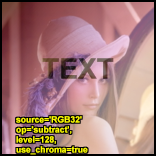
base_clipminusoverlay_clip. The same as "add", butoverlay_clipis inverted before adding.If both clips are equal andopacity= 0.5 (level= 128), a flat gray field is returned compare to Subtract .lighten
 Copy
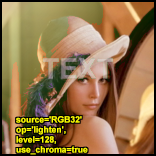
Copyoverlay_clipoverbase_clipin areas whereoverlay_clipis lighter by threshold.Performs the same operation as "add", but only whenoverlay_clipis BRIGHTER thanbase_clip.use_chromamust be true.Also known as lighter color.darken
 Copy
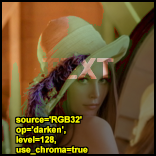
Copyoverlay_clipoverbase_clipin areas whereoverlay_clipis darker by threshold.The same as "lighten", but it is performed only whenoverlay_clipis DARKER thanbase_clip.use_chromamust be true.Also known as darker color.mul
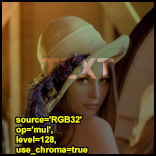
base_clipmultiplied byoverlay_clip. This will generally make the output darker.- alpha=0d → onlybase_clipvisible.- alpha=255d → approx. the same luminance asbase_clipbut with the colors ofoverlay_clip.See GIMP: Multiplymulovr
YUV(A) formats only. Overlay-style multiply: the overlay's luma (Y) channel only darkens the base clip. Overlay chroma (U, V) is ignored.A dark overlay Y pulls base luma toward black and simultaneously desaturates base chroma toward neutral (128d for 8-bit integer, 0.0 for float). A fully bright overlay Y (max) leaves the base unchanged.The result matchesOverlay(mode="multiply")within ±1 LSB for all bit depths and all 4:2:0 / 4:2:2 chroma placements (not independently re-verified for 4:1:1/4:4:0/4:1:0, though it shares the same chroma-mask code path as "darken"/"lighten" below, which are).Difference from "mul": "mul" multiplies each output plane independently by the corresponding overlay plane (Y×Y, U×U, V×V), and works for RGB too. "mulovr" uses only the overlay Y to drive all planes, keeping chroma proportionally neutral — it desaturates where the overlay is dark, which matches the photographic multiply model. For greyscale (Y-only) clips both modes produce identical results.Not available for RGB. An error is raised if the clip is not YUV or YUVA.Formula (integer, per chroma sample):alpha_eff = mask * opacity / maxdarken_factor = alpha_eff * (max − ovr_Y) / maxresult_Y = base_Y * (max − darken_factor) / maxresult_UV = (base_UV * (max − darken_factor) + neutral * darken_factor) / maxopacity/alpha: same semantics as other modes (alpha-aware overlay clip,opacityparameter).placementis respected for correct chroma-mask downsampling in all supported subsampled formats (4:2:0, 4:2:2, 4:1:1, 4:4:0, 4:1:0).fast
Like "add", but without masking.
use_chromamust be true;opacity,levelandthresholdare not used. The result is simply the average ofbase_clipandoverlay_clip.
- level
Note: deprecated in Avisynth+, use "opacity" instead.
Original meaning: the strength of the performed operation.
0: the
base_clipis returned unchanged,257 (256 for YUY2): the maximal strength is used.
- x, y
offset position of the
overlay_clip
- threshold
Changes the transition point of op = "darken", "lighten.".
Automatically scaled for bit depths over 8, keep it between 0 and 255
- use_chroma
- Use chroma of the ``overlay_clip``, default=true.
When false, different behavior applies depending on color space. Must be true for op = "darken", "lighten", "fast."
Effect on YUV/YUVA color spaces:
When
use_chroma=false:Luma (Y) channel is processed normally using the overlay's Y values
Chroma (U/V) channels ignore the overlay and instead blend toward neutral (128 for 8-bit integer, 0.0 for float)
The result is progressive desaturation controlled by opacity:
opacity=0.0 → no change (keeps base chroma)
opacity=0.5 → halfway desaturated
opacity=1.0 → fully neutral/grayscale
YUV Use Cases:
Luminance-only compositing - Adjust brightness using overlay's luma while preserving base clip's color:
# Brighten image using luma overlay, keep original colors
Layer(color_clip, bright_overlay, op="add", use_chroma=false, opacity=0.5)
Selective desaturation - Use overlay's alpha channel to control where desaturation occurs:
# Desaturate regions based on alpha matte
Layer(color_clip, alpha_matte, use_chroma=false, opacity=0.8)
Overlay graphics without color contamination - Add logos/text that affect only brightness:
# Logo affects brightness but doesn't introduce colors
Layer(video, logo_rgba, use_chroma=false)
Effect on Planar RGB/RGBA color spaces:
When
use_chroma=false:Overlay RGB is converted to grayscale using standard luma coefficients (Rec.709: R×0.2126 + G×0.7152 + B×0.0722)
All channels (R, G, B, and A if present) of the base clip blend toward this grayscale luma value
The result is desaturation where all RGB channels approach the same value
RGB Use Cases:
Grayscale overlay effect - Use only the luminance information from a colored overlay:
# Apply colored overlay as grayscale
Layer(color_base, color_overlay, use_chroma=false, opacity=1.0)
Luminance-based blending - Mix clips using only brightness information:
# Blend two clips ignoring color information from overlay
Layer(clip1, clip2, use_chroma=false, opacity=0.5)
Controlled desaturation - Desaturate based on overlay's alpha channel:
# More transparent areas remain colorful, opaque areas become gray
Layer(color_clip, alpha_gradient, use_chroma=false, opacity=0.7)
Summary:
YUV with use_chroma=true: Normal color blending using overlay's U/V values
YUV with use_chroma=false: Chroma neutralizes (desaturates), luma blends normally
RGB with use_chroma=true: Normal color blending using overlay's R/G/B values
RGB with use_chroma=false: All channels blend toward overlay's grayscale luma (desaturates)
In both color spaces,
use_chroma=falseproduces desaturation, but through different mechanisms appropriate to each color model.
- opacity
Transparency level.
Usable for all bit depths, replaces the previouslevelparameter.Similar to "opacity" in "Overlay".Valid values are 0.0 to 1.0. Default value is 1.0 if
leveldoes not exist. (1.0 means full transparency)If
levelparameter is given thenopacityis calculated as:for color spaces having alpha:
opacity = level / ((1 << bits_per_pixel) + 1)which gives 1.0 for level=257 (@8bit) and 65537 (@16 bits)for color spaces not having alpha:
opacity = level / ((1 << bits_per_pixel))e.g. for YUY2 or other non-Alpha, gives 1.0 for level=256 (@8bit)
"opacity" parameter is bit depth independent (unlike
levelwhich was maxed with level=257 when RGB32 but level=256 for YUY2/YUV)Note: originally level was used in formula: (alpha*level + 1) / range_size, now level is calculated from opacity as:
level = opacity * ((1 << bits_per_pixel) + 1)
- placement
Chroma placement (siting) of the clips for subsampled planar YUV formats: 4:2:0, 4:2:2, 4:1:1, 4:4:0 and 4:1:0 (YUY2 is processed as 4:2:2).
Accepted values are the same as for
ChromaInPlacementof ConvertToXXXX (case-insensitive):"left"("mpeg2"),"center"("mpeg1","jpeg"),"top_left","top","bottom_left","bottom","DV"and"auto", with the same per-axis meaning.Default (not given or
"auto"): the base clip's_ChromaLocationframe property (read from frame 0), otherwise the per-format default of ConvertToXXXX:"left"for 4:2:0/4:2:2/4:1:1,"top"for 4:4:0,"top_left"for 4:1:0.Used in "mul", "mulovr", "darken", "lighten", "add" and "subtract" modes with planar YUV color spaces to correctly filter the luma-resolution alpha mask down to chroma resolution for the U and V planes. Only three filter kernels are implemented, the placement is silently mapped to the nearest one; the "mpeg2"-like kernel is a left-cosited H, centred V triangle filter, the "mpeg1"-like one a box filter, the "top_left"-like one a point sample (fastest). See the kernel table in Overlay's
placementdocumentation (Layer shares the same chroma-mask logic).Layer does not convert: both clips must have the same format, and they are assumed to share the same chroma siting; the overlay clip's
_ChromaLocationis not used.
Other notes
Audio, FrameRate and FrameCount are taken from the first clip.
There are some differences in the behaviour and the allowed parameter depending on the color format and the operation; here are the details:
When there is no mask (alpha channel), the alpha channel is assumed to be fully opaque (255d) everywhere.
in alpha-aware color spaces alpha channel is multiplied with opacity, so the resulting alpha is
alpha * opacityThis means for full strength of operation, alpha has to be 255d and opacity has to be 1.0.
Examples
This can be used to combine two captures of different broadcasts for reducing noise. A discussion of this idea can be found in this thread. A sample script (of course you have to ensure that the frames of the two clips match exactly -- use DeleteFrame if necessary):
clip1 = AviSource("F:\shakira-underneath_your_clothes.avi").ConvertToYUY2
clip2 = AviSource("F:\shakira-
underneath_your_clothes2.avi").ConvertToYUY2
return Layer(clip1, clip2, "fast")
Changelog
Version |
Changes |
|---|---|
3.7.6 |
Layer: Add "mulovr" mode (Overlay-style multiply, YUV(A)
only)
"placement": ConvertToXXXX ChromaInPlacement syntax
(left/mpeg2, center/mpeg1/jpeg, top_left, top, bottom_left,
bottom, dv, auto) and per-axis meaning
"placement" default: the clip's _ChromaLocation frame
property, else the format default (was: always "mpeg2")
mask kernel: nearest implemented variant, shared with
Overlay
Layer: full refactor, use unified blend functions,
opacity (and not level)-based integer division arithmetic
|
3.5.0 |
Layer: support RGB24 and RGB48 |
3.4.0 |
Layer: support almost all formats, not only RGB32 and YUY2
except RGB24, RGB48, YV411
add "opacity" and "placement" parameters
Fix: add proper rounding for add/subtract/lighten/darken
Fix: "lighten" and "darken" gave different results between
yuy2 and rgb32 when Threshold<>0
Fix: "darken" for RGB32 when Threshold<>0
Fix: "lighten" and "darken" for YUY2 when Threshold<>0
|
$Date: 2026/09/30 10:00:00 $
